
 To-Do List
Separate active and completed tasks
← All modulesAyense Works · To-Do List
Track personal tasks, priorities and progress without leaving the SOLIDWORKS environment.
Record engineering-office tasks with descriptions, priorities, status and dates without switching to another application.
Priority, description and date fields
Reopen completed tasks
Organized Excel task reports
See the workflow step by step.
Each screen presents the information you need at the right stage of production preparation.
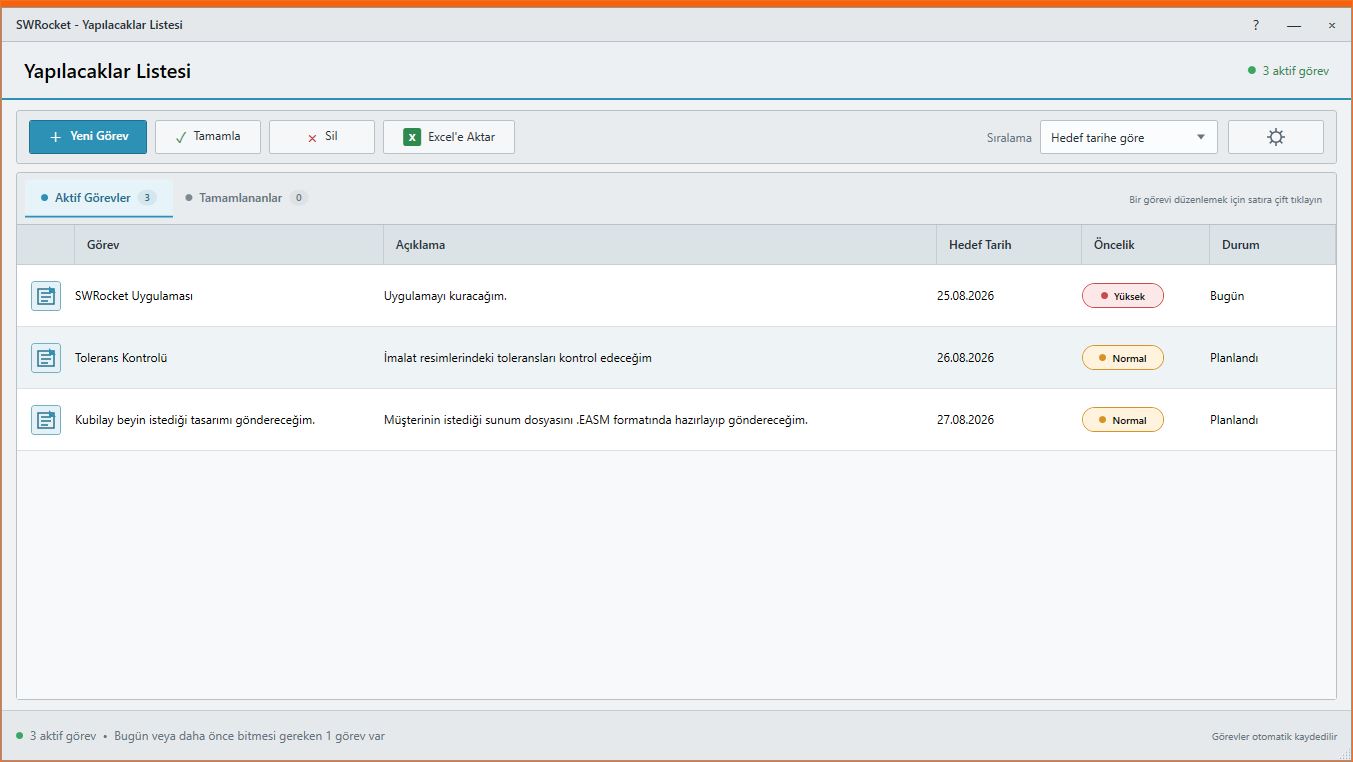
01
To-Do List screen
Track tasks with priority and status information in one screen.
Separate active and completed tasksWORKFLOW
A controlled result in three steps.
Task tracking · Priority · Excel report
- 1STEP 01Create a task and set its priority
- 2STEP 02Update progress
- 3STEP 03Report completed work
MEET Ayense Works
Request a trial →