
 Database
Selectable SOLIDWORKS file locations
← All modulesAyense Works · Database
Share team settings and selected SOLIDWORKS file locations in a controlled way.
Publish a common working standard from one computer and keep the same rules available across the team.
Shared announcements and Nesting data
Local cache and safe startup checks
Administrator-controlled publishing
See the workflow step by step.
Each screen presents the information you need at the right stage of production preparation.
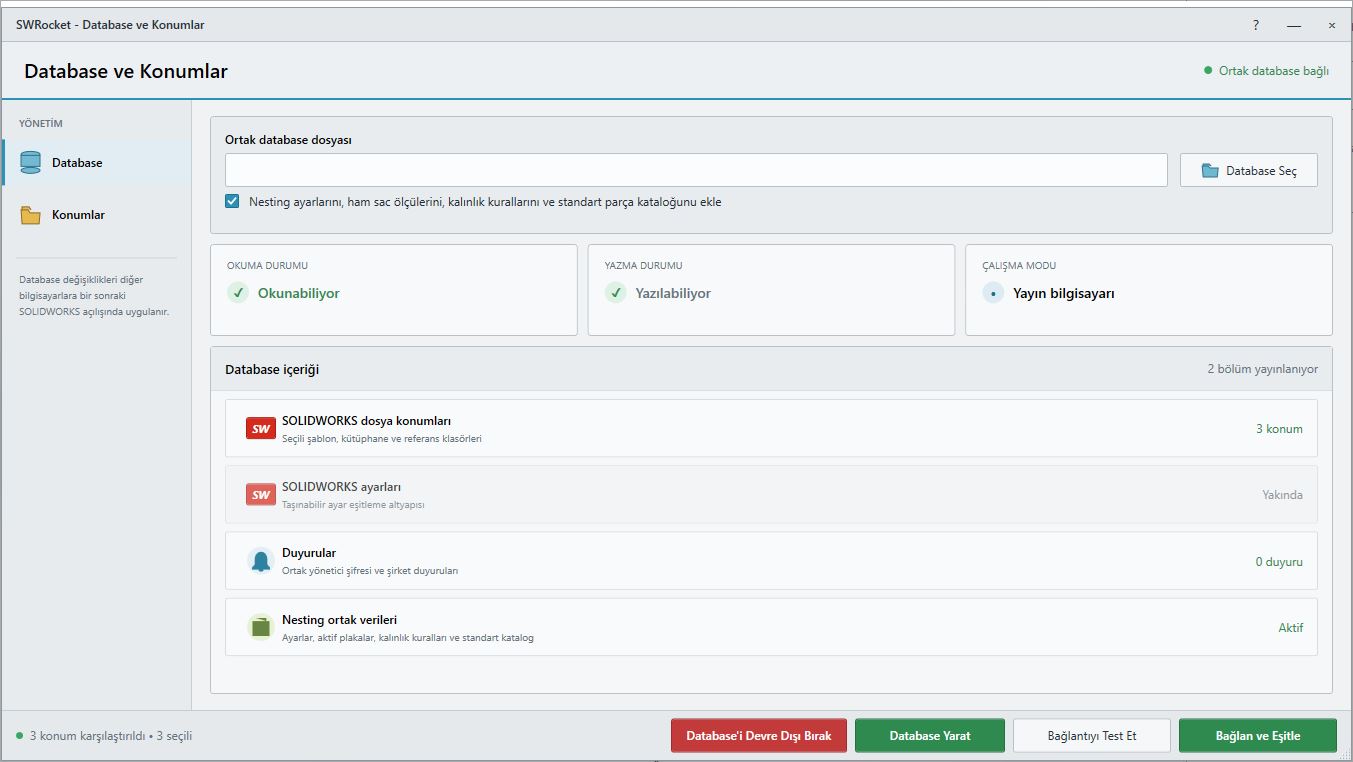
01
Shared Database screen
Share team-wide settings and locations in a controlled way.
Selectable SOLIDWORKS file locations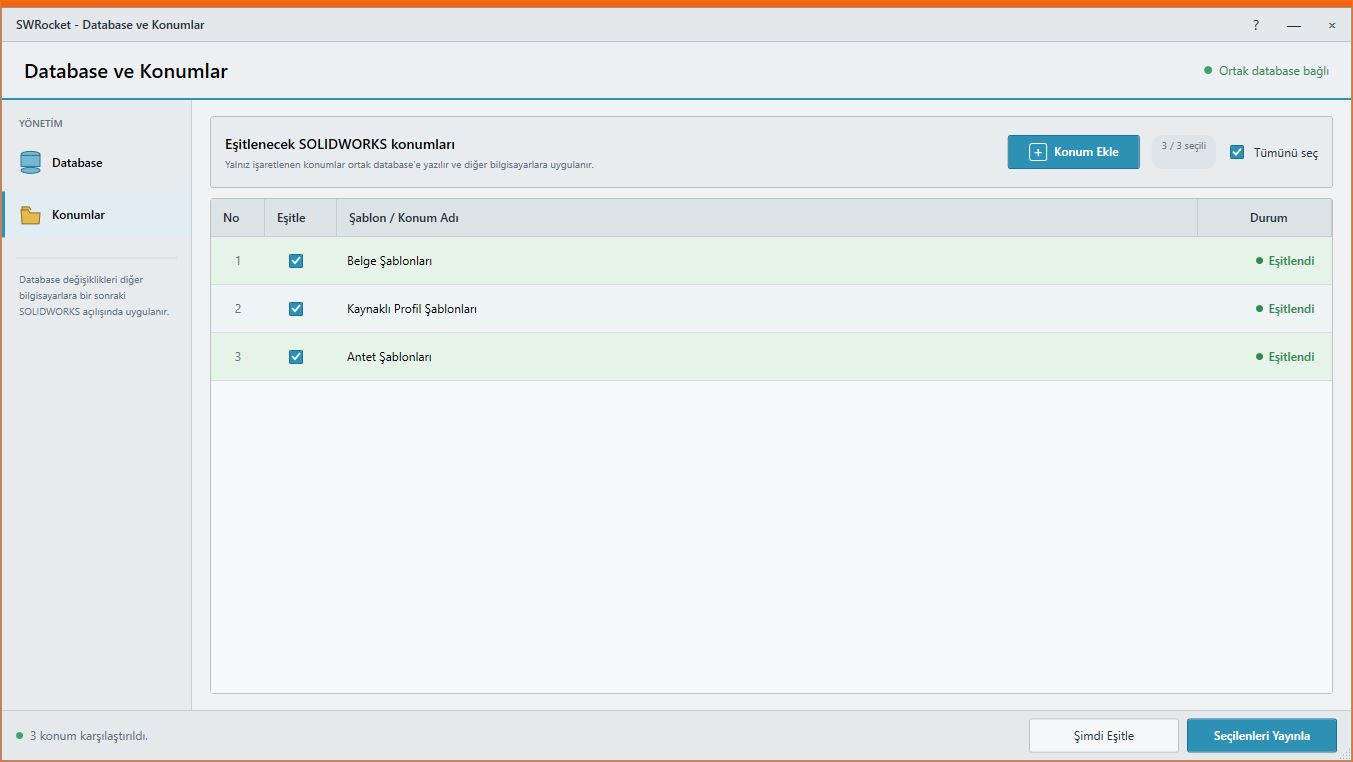
02
Database Locations screen
Synchronize only the selected template and file locations with other workstations.
Shared announcements and Nesting dataWORKFLOW
A controlled result in three steps.
Shared settings · Startup synchronization
- 1STEP 01Create the shared database
- 2STEP 02Choose the data to publish
- 3STEP 03Connect other workstations
MEET Ayense Works
Request a trial →